









School governance software for independent schools
One current picture. Every commitment owned.
The school day is operational and interrupted, and the governance still has to happen inside it.
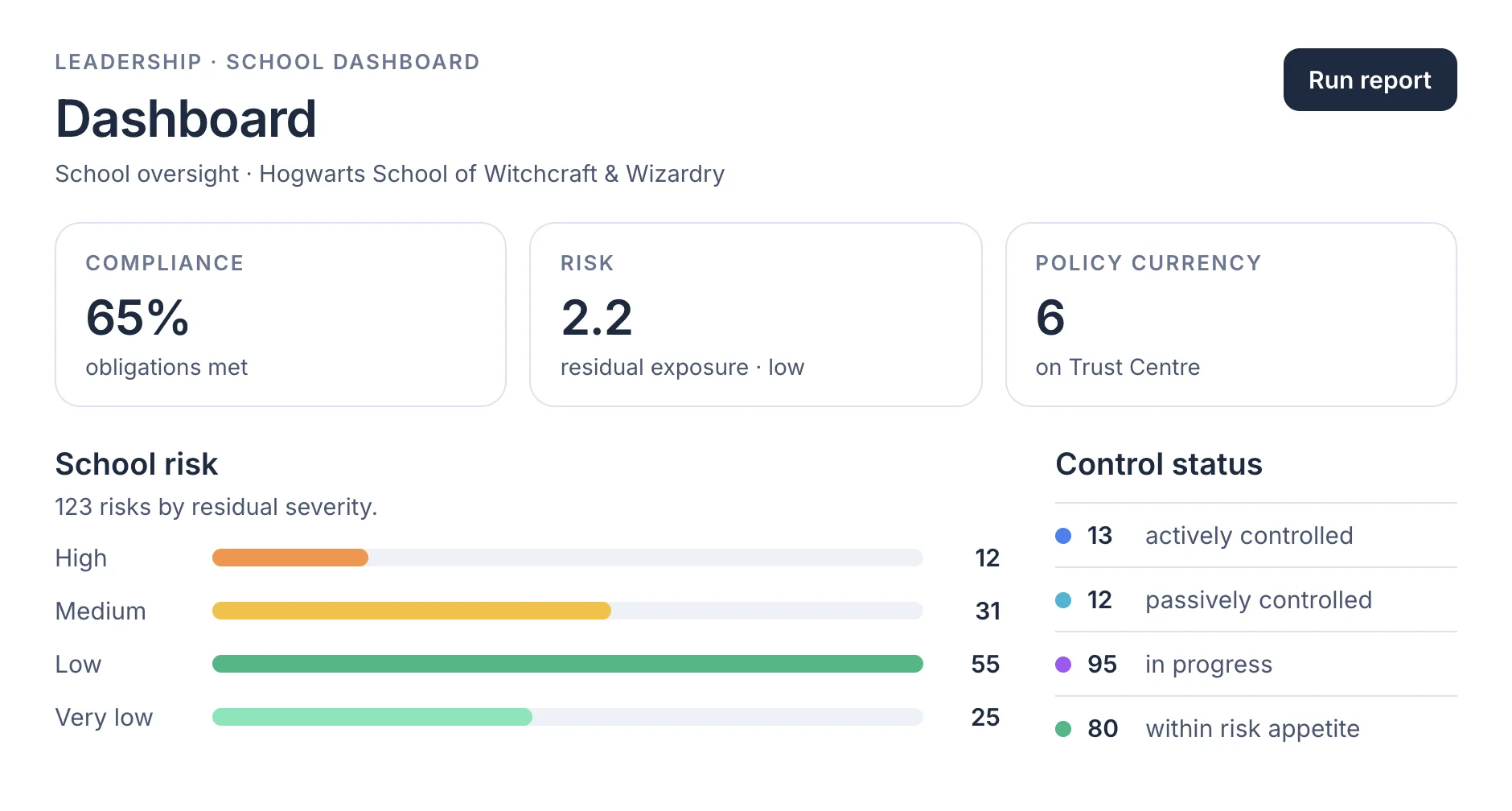
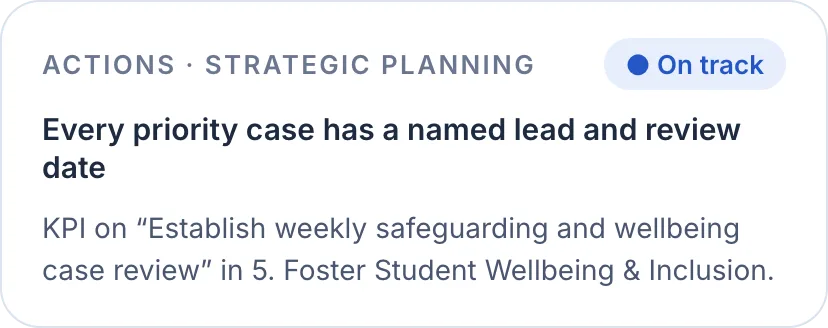


Redrawn from the demo school · The base licence.
EthosOne Core is the school governance operations layer of EthosOne, governance, risk and compliance software built only for schools.
It is built for the executive team of an independent school and its board. Core is the base licence, $15,000 a year, with no per-user fees.
The problem
Everything the school owes someone lives somewhere different. The compliance calendar is a spreadsheet, the risk register is a Word table, the strategic plan is a PDF the board approved in February, and the actions from the last three meetings are in three sets of minutes. Nobody is lying about any of it. Nobody can see it either.
The report is rebuilt every time. A board pack is assembled by hand from extracts that were current when they were pasted, which means the number the chair reads is already a fortnight old and nobody can say which register it came from. The work of governance becomes the work of copying.
Commitments outlive their owners. An action agreed in a meeting has a name against it until that person changes role, leaves, or simply stops being asked. Without one queue, one owner and one due date, the school runs on memory, and memory is exactly what a regulator does not accept.


What we keep hearing
It is 7:50 and the business manager has three spreadsheets open and an inbox that filled overnight. By nine the principal has taken a call about a student, walked a contractor to the gate and been asked in the corridor whether the strategic plan is still on track. The board pack is due Thursday, and the register it describes was last exported in May. Somewhere in that day, the school still needs one current picture of itself, and every commitment still needs an owner.
This is the room where both are kept.
Eight views, one picture. Each one reads from the same live records.
 01
01School dashboard
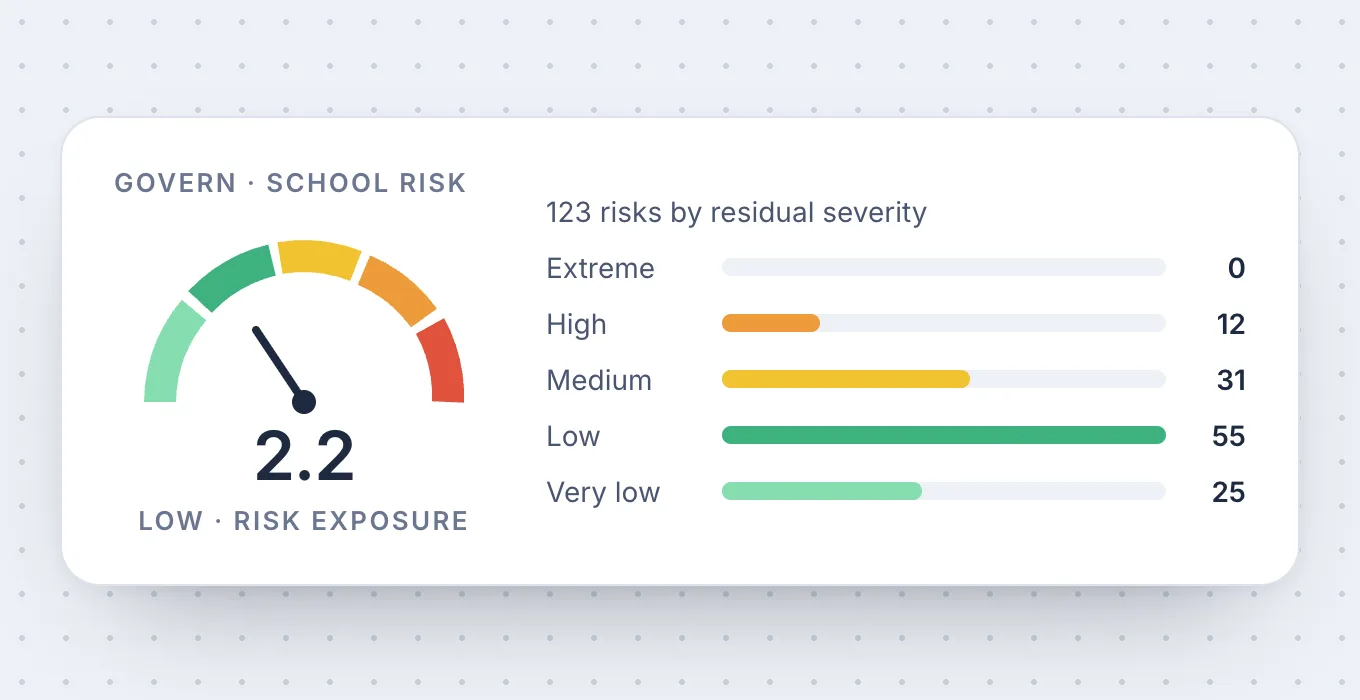
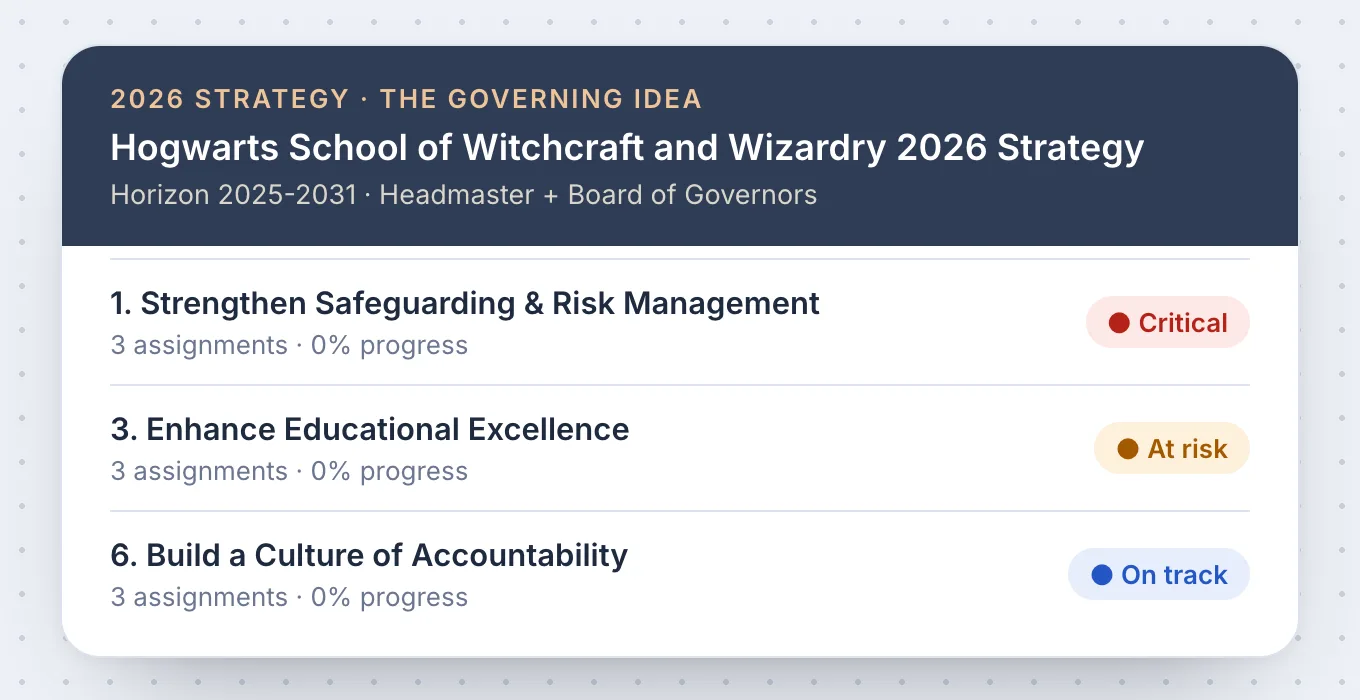
The School Dashboard is the whole-school operating picture for the active entity, in School and Personal modes, with Strategy and Assignments views beside it. KPI cards cover compliance, risk and policy currency, and the risk distribution widget shows exposure by level and category against appetite.
 02
02Strategic planning
Strategic planning holds the current strategy as purpose, vision, mission, values, objectives and strategic initiatives, with past strategies archived. Initiatives are typed (strategic, ICT, capital, operational, house and other) and sit together on a Gantt portfolio, and each carries an owner, activities with RASCI, KPI or OKR success criteria and linked risks.
 03
03Reporting
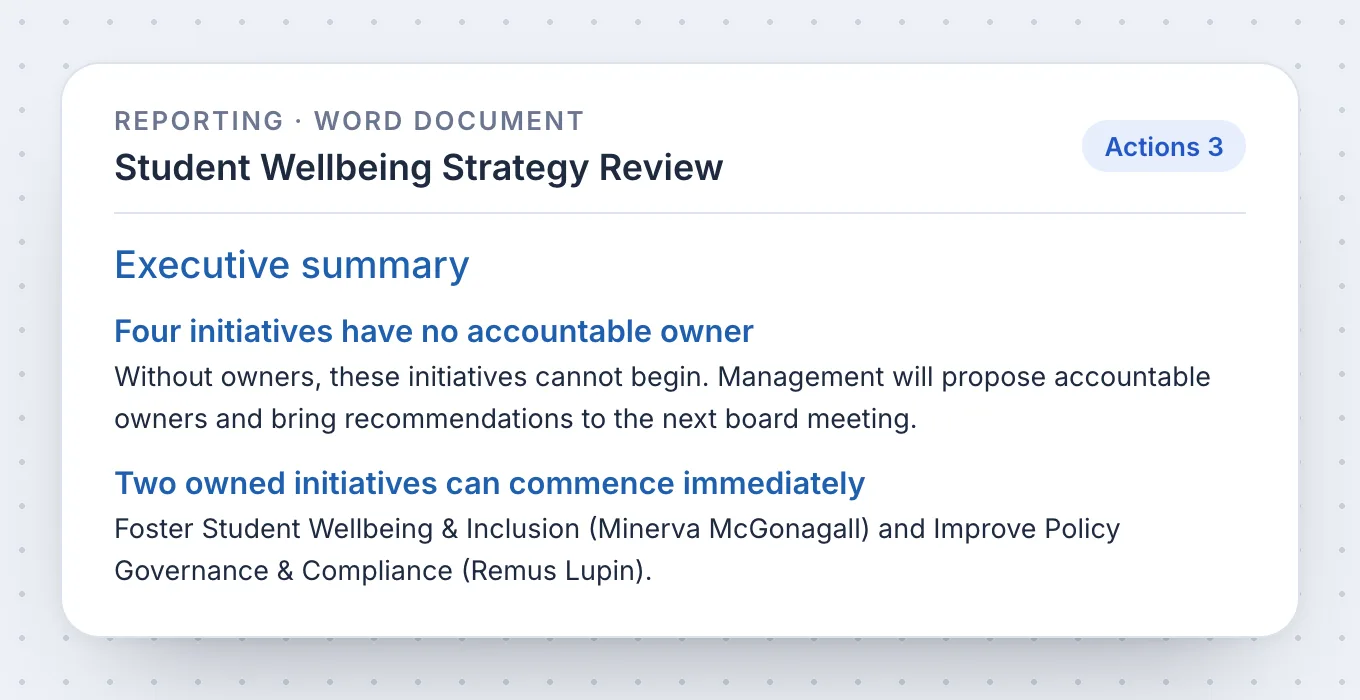
Reporting assembles a report from live risk, compliance, strategy and governance records rather than pasted extracts. Start from the audience and the job, focus the exact sources, entities and period, choose the visualisations, refine the narrative, then freeze the snapshot and export the document to Word or PDF on your school's own branded document template.
 04
04Projects and schedules
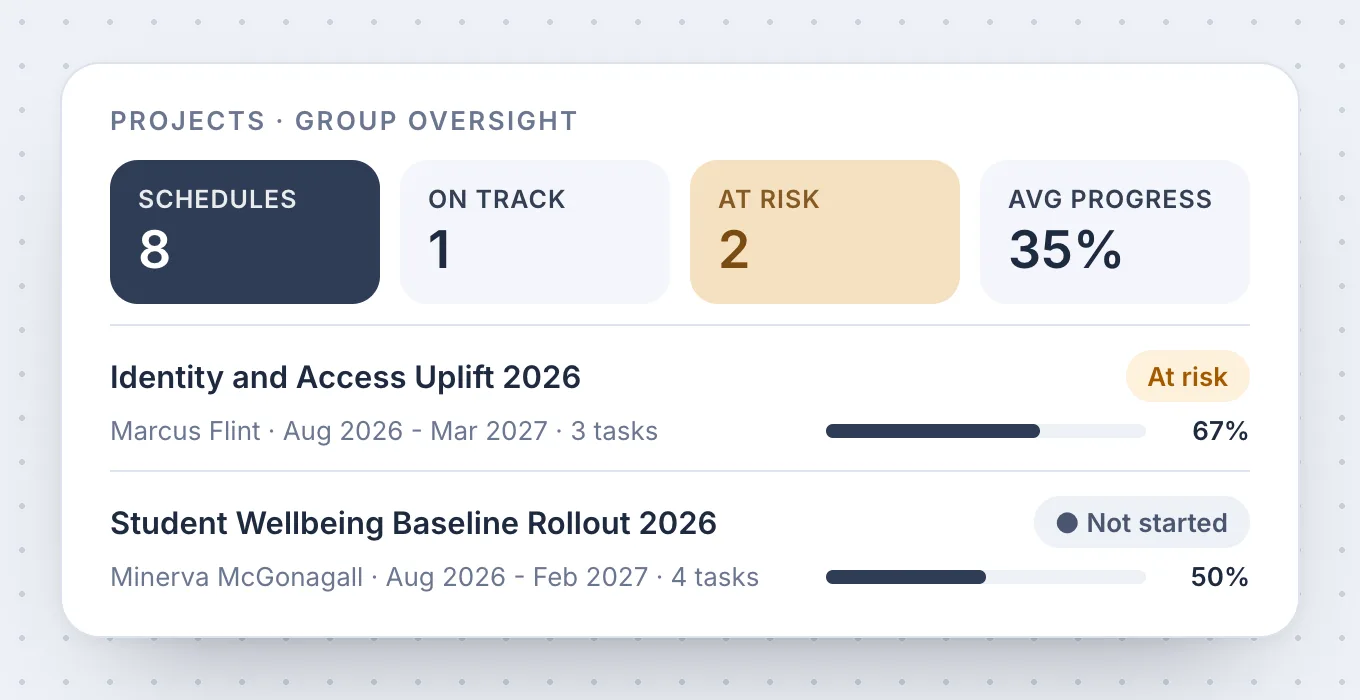
Projects and schedules gives capital, ICT and operational change a governed delivery container. A schedule breaks into groups and tasks with dates, status and owner, and shows on a Gantt timeline with milestones and dependencies.
 05
05Actions
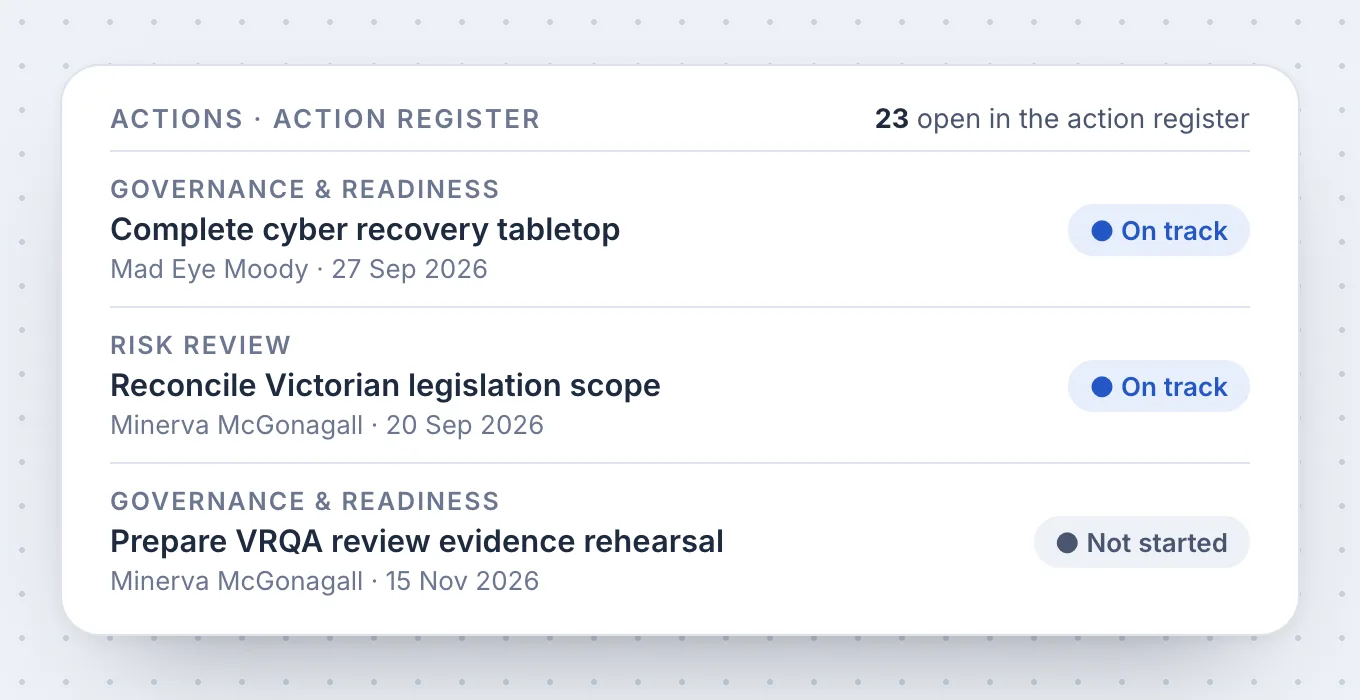
Actions is the one reconciled queue for work that comes from strategy, risk, compliance, meetings and projects. The action board groups work by status, filters isolate it by source, group and owner with one denominator, and every action records its owner, due date, delegator and the source record or rationale that created it.
 06
06Policies
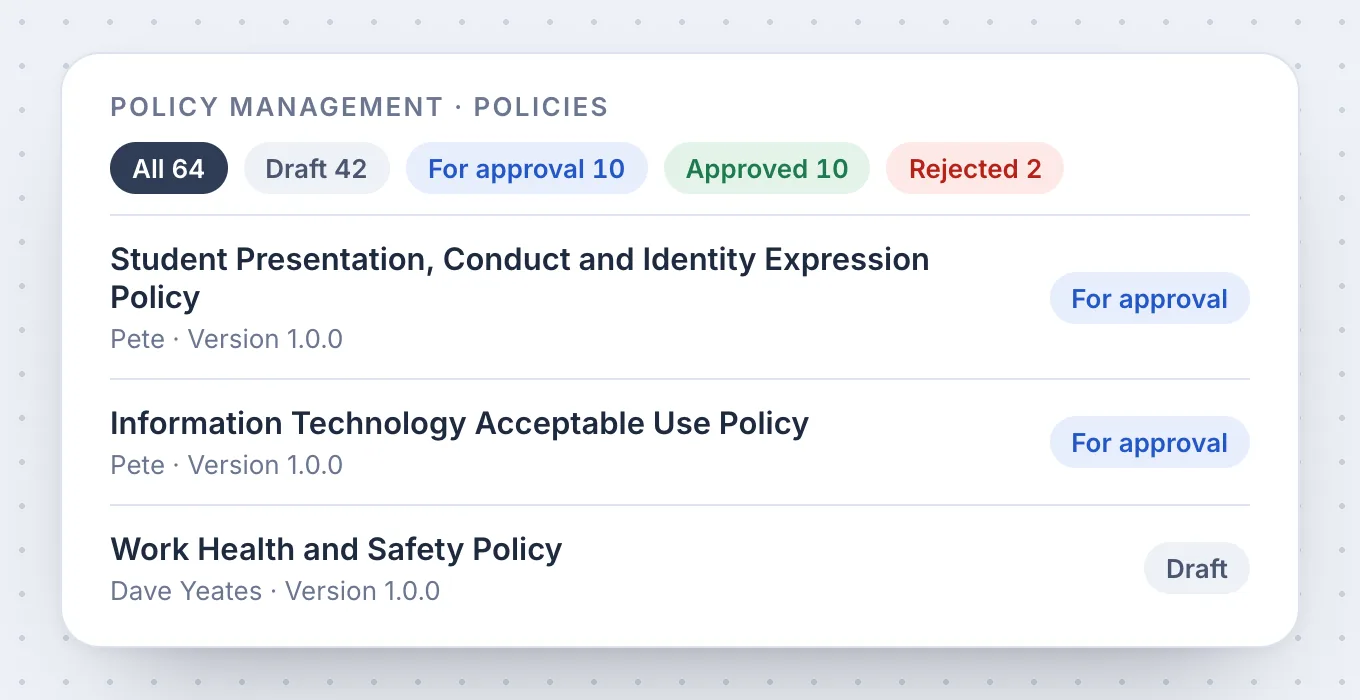
Every policy the school holds, in one register with its lifecycle state on the face of the card: draft, proposed, approved, released. Bring a document in from Word or PDF, route it for approval, see proposed changes before they are approved, keep every earlier version, and report on who has acknowledged the current version.
 07
07Procedures
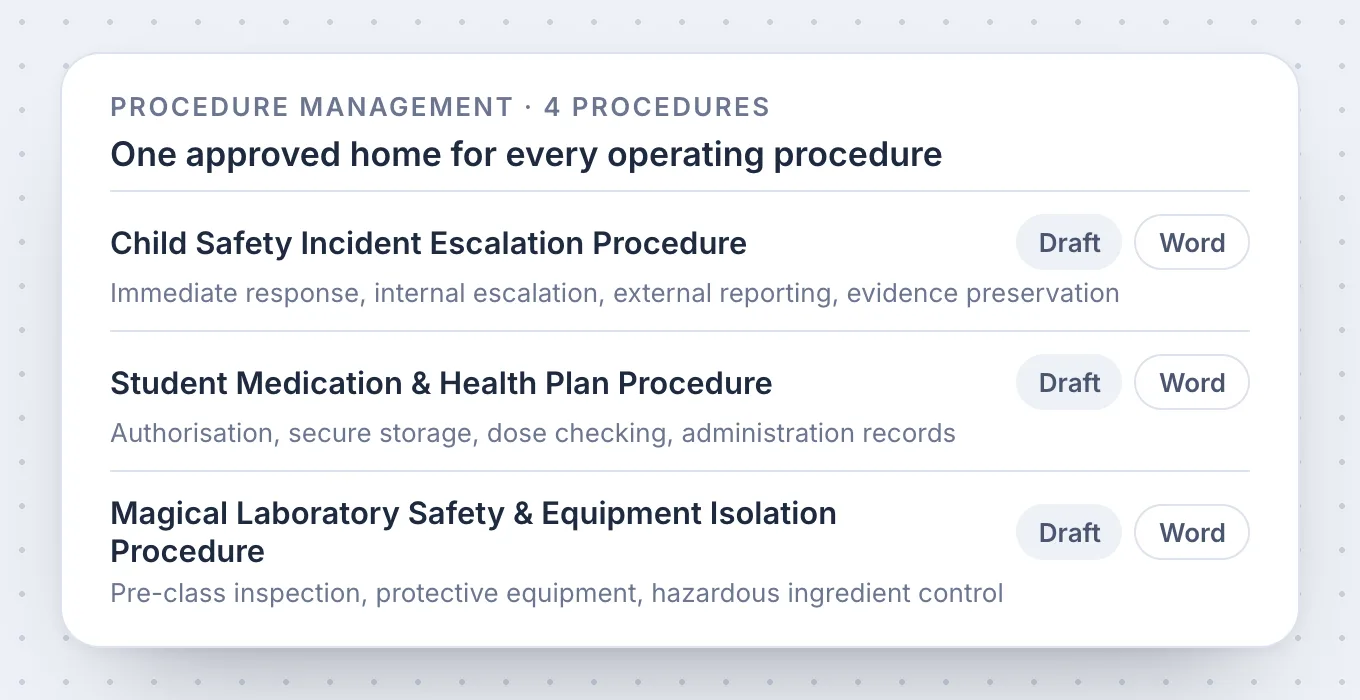
The process the school runs, written as trigger, steps, roles, inputs, outputs and records, and linked to the policy that requires it. A procedure is brought in from a document or drafted from its purpose, versioned like a policy, and its steps name the records they produce, so the incident form, the checklist and the log entry are the evidence the procedure said there would be.
 08
08Trust Portal
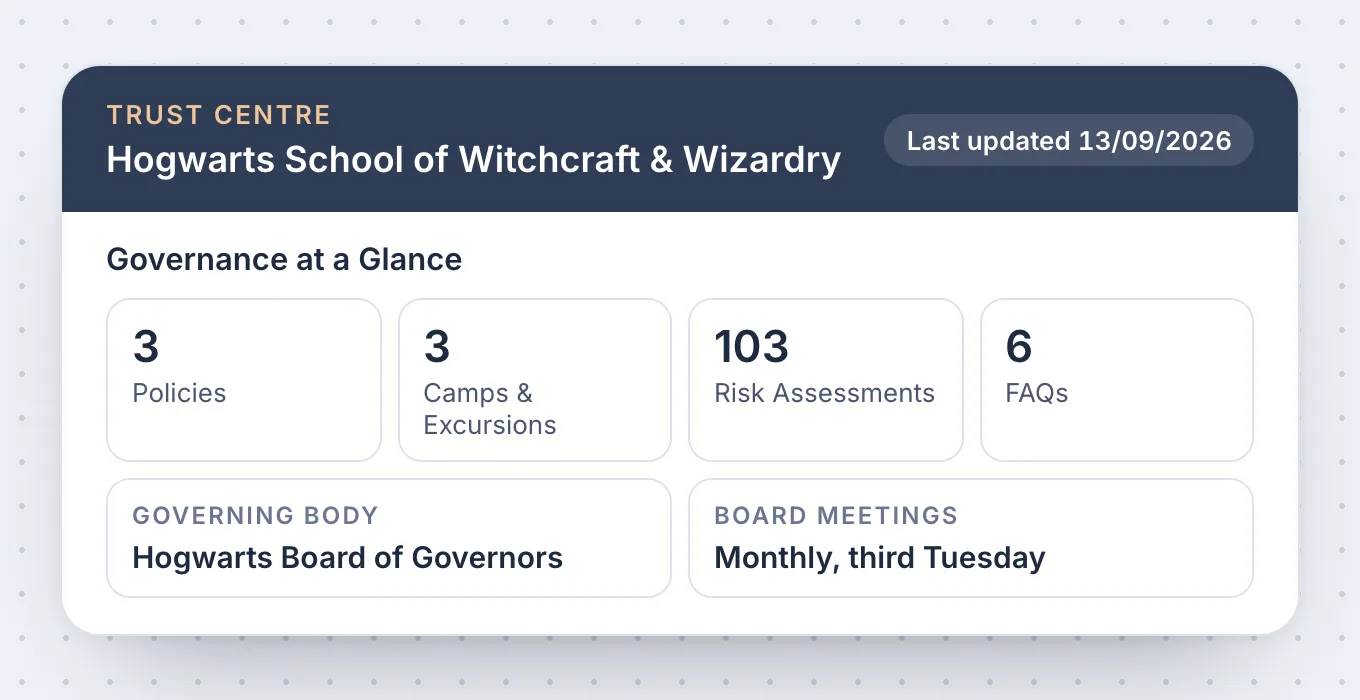
The Trust Portal publishes approved policies, selected assurance and public commitments to parents, regulators and partners at the school's own public address, in the school's branding. Approved policies are switched Public or Featured individually, Data & Privacy, FAQs and Camps & Excursions hold bounded public answers, and Live Preview shows exactly what an anonymous viewer will see.
What it does not do
- It does not treat dashboard aggregates as editable records, or hide a data-quality contradiction behind a success colour.
- It does not present a placeholder as a live fact, or publish a report without scope, as-at date and provenance.
- It does not publish an internal record to the Trust Portal because it exists, or overwrite a file version silently.

It meets all of the real frustrations of business directors in one place.
Nick MillerDirector of Business, Blackfriars Priory School
School governance and risk is a complex area without a clear solution.
David RuggieroPrincipal, Blackfriars Priory School
Demo to live in under a month. One South Australian school, one term, board-ready.
Blackfriars Priory SchoolCase study
The seven we are asked every time.
Still weighing something up? Thirty minutes with us, on your own registers, answers the rest.
Book your school a demo01Can I see what's overdue across the school?
Yes. The School Dashboard is live: every value is derived from source records, an open item whose due date has passed counts as overdue, due soon means an open item inside the configured forward window, and selecting a card opens the exact record. Actions, compliance items and risk treatments all carry an owner and a due date, so what is overdue is one view rather than a walk round the office.
02Can we assign actions and send reminders?
Yes. Every commitment sits in the actions queue with a named owner, and delegation records who assigned it, to whom, when, and any acceptance requirement, with the audit history keeping every change after that. Tracking and reminders sit underneath every part of Core, so an owner hears about a due date before it passes rather than after.
03What is included in EthosOne Core?
The School Dashboard, strategic planning, reporting, projects and schedules, actions, the policy and procedure register and the Trust Portal, with tracking and reminders underneath all of them. Core is $15,000 a year with no per-user fees, and the licence runs from January 2027.
04Is Core enough on its own, or do we need the other modules?
Core stands on its own for strategy, delivery, actions and reporting. Risk and Compliance, Regulatory Readiness and HR Compliance are Focus modules at $5,000 a year each, Board Engagement, Group Management and PolicyAI are Premium modules at $10,000 a year each, and every module is $45,000 a year all in.
05Is the dashboard a live view or a report someone builds?
Live. The KPI cards and the risk distribution are drawn from the registers themselves, so nobody builds the picture by hand. School mode shows the whole entity; Personal mode shows only the work you own or take part in.
06Can we produce the board report from Core?
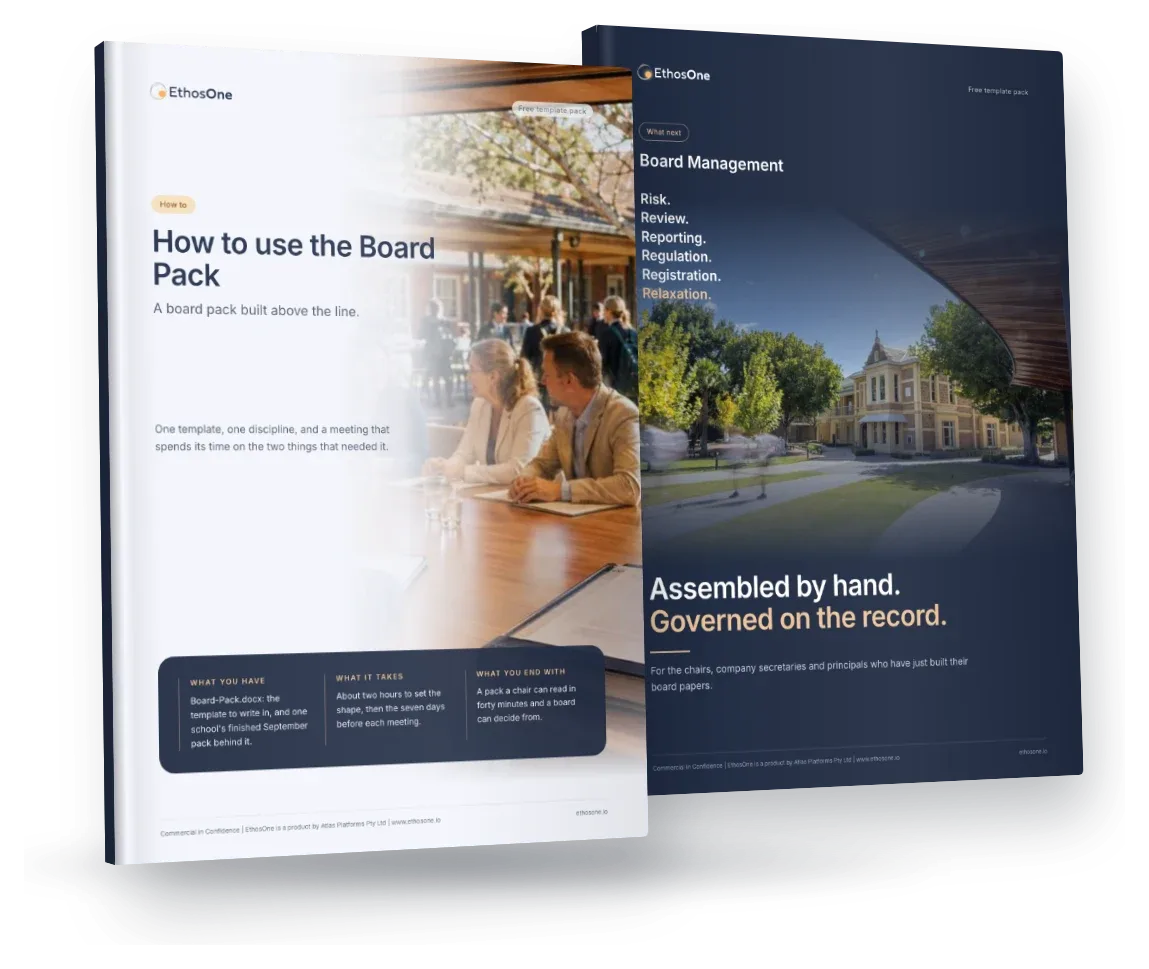
Yes. Reporting assembles from live risk, compliance, strategy and governance records, freezes the scope and evidence snapshot, and generates the document. Board Engagement adds governed pack assembly with contributions, review and approval.
07The base licence, in full: what does it cover?
Core gives a principal and business manager one current picture of the school through the School Dashboard, a strategic plan that stays live after the board approves it, board reporting generated from live records, projects and schedules for capital and ICT delivery, an actions queue where every commitment has a named owner, the policy and procedure register, and a public Trust Portal.
Run at any scale. From one campus to a diocese, with every entity reporting the same way.
- Switch
- from your existing platform, for a low cost
- 25
- policy domains help you make sense of the policies you have, and the ones you need
- Every regulator
- in Australia and New Zealand supported
- Safe
- data, processing and AI based in Sydney and Melbourne via AWS
Coverage spans the eight Australian states and territories, with Commonwealth law applying across all of them, and separately New Zealand. Domain figures come from the PolicyAI Research Atlas.
- Stored in AustraliaAWS Sydney and Melbourne, one database per school
- AI stays in the country tooHosted in Sydney and Melbourne; never trained on your content
- Published, not describedOur policies in the Trust Centre · How we handle your data
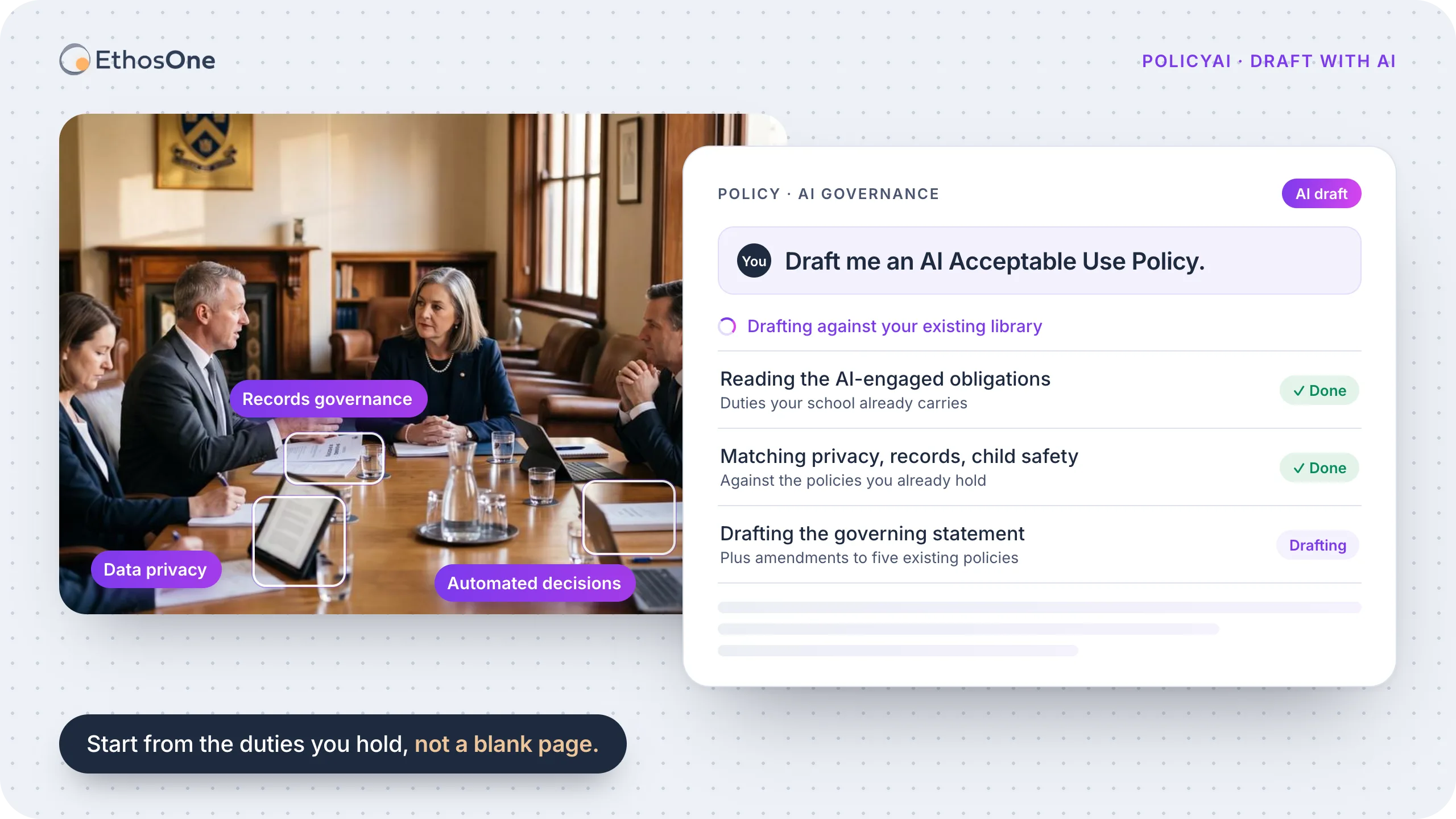

PolicyAI answering the prompt “Draft me an AI Acceptable Use Policy.”, then working through: Reading the AI-engaged obligations; Matching privacy, records, child safety; Drafting against your existing library.
Solutions for every school’s AI challenge.
There is no AI-specific legislation in force in Australia or New Zealand. The duties your school already carries are the ones AI engages.
Governing AI, before your board asks again.
“The board asked what our position on AI is, and we did not have one.”
An AI policy is not a new rulebook, it is a lens over duties your school already carries: privacy, records, discrimination and child safety, engaged by an AI-shaped set of facts. Which is why a downloaded template does not survive contact with a regulator.
We have tagged the duties AI activity in a school engages, so the conversation starts from the obligations you already hold rather than from a blank page. Almost none of them say “AI”.
Try Draft with AI.Five paragraphs against the obligations of your State, with the provision beside each. Free, no login.