







GTA VI has landed.
The risk assessment is done.
Fourteen hazards, twenty controls and a finished worked example for the launch fortnight. Adapt it, discuss it with your staff and sign it this week.

Grand Theft Auto VI was released on Thursday 19 November 2026. It is classified R18+ in Australia, most of your students cannot legally buy it, and plenty of them will be playing it, watching it or hearing about it by Friday. Not every teacher follows video game news, so we did the risk assessment for you.
One Excel workbook: a worked example assessed end to end, your own blank assessment beside it, and a library of twenty controls written for a high-profile R18+ release. Download it, adapt it to your school, and discuss it with your staff this week.
- Empty seats and glazed eyes in period one
- Year 7s who have seen clips their parents did not know existed
- Gameplay videos doing the rounds in class group chats
- Playground re-enactments you will wish you had not seen
- Fake download links landing on school devices
- Parents asking what the school's position is
What is in the workbook
- Tab 01
Worked example
One school's response to the launch fortnight, assessed end to end: fourteen hazards, who is exposed, the controls relied on, the rating left once they are in place, a named owner for every row and the sign-off chain complete. Wattlebrook Grammar is invented; nothing in it is a real school.
- Tab 02
Your assessment
The same columns, dropdowns and ratings, blank. Fill the activity block, then one hazard per row. Both ratings calculate and colour themselves.
- Tab 03
Control library
Twenty controls for the fortnight: family communication, staff response, digital safety, behaviour, boarding, learning and staff wellbeing, each with the standard it is there to meet. Pick the ones that apply and paste the code into your assessment.
- Tab 04
Summary and terms
A one-page summary to read before the assessment is approved, and the terms of use.
- What it takes
- One leadership meeting, about an hour, then a ten-minute staff briefing.
- What you end with
- A signed assessment, a named owner for every control, and one message to families that every staff member can point to.
How we made it in EthosOne
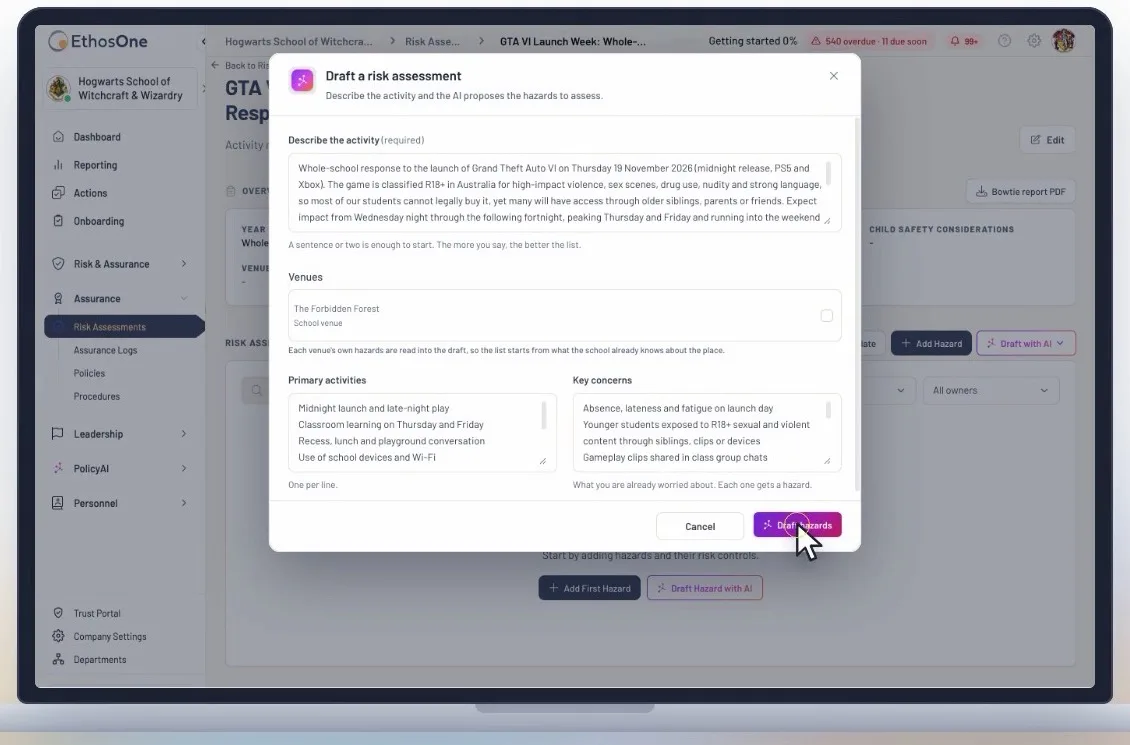
We did it, so you do not have to. This is the same assessment, drafted in EthosOne Risk and Compliance from a few sentences.
- Mission 01 of 04
Describe it
A few sentences about the launch fortnight, the activities and the concerns. Draft with AI proposes the hazards to assess.
- Mission 02 of 04
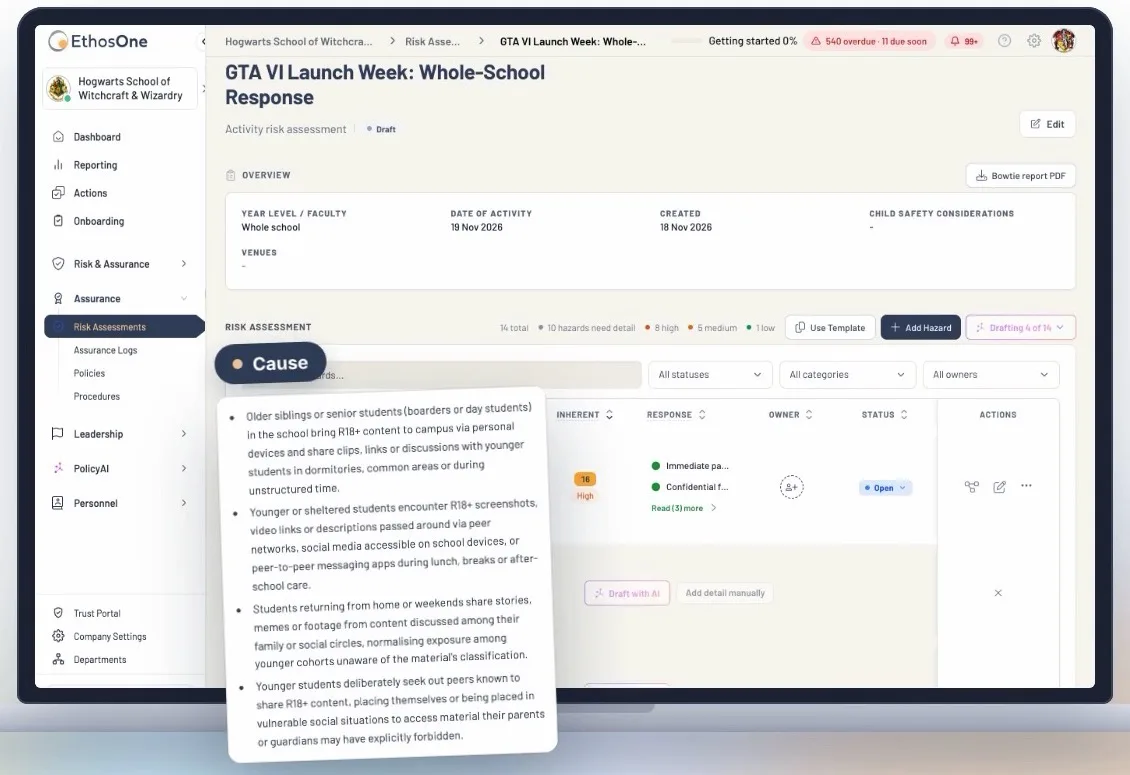
Causes and consequences
Every hazard arrives with its causes, consequences, controls and responses, written from the school's own context.
- Mission 03 of 04
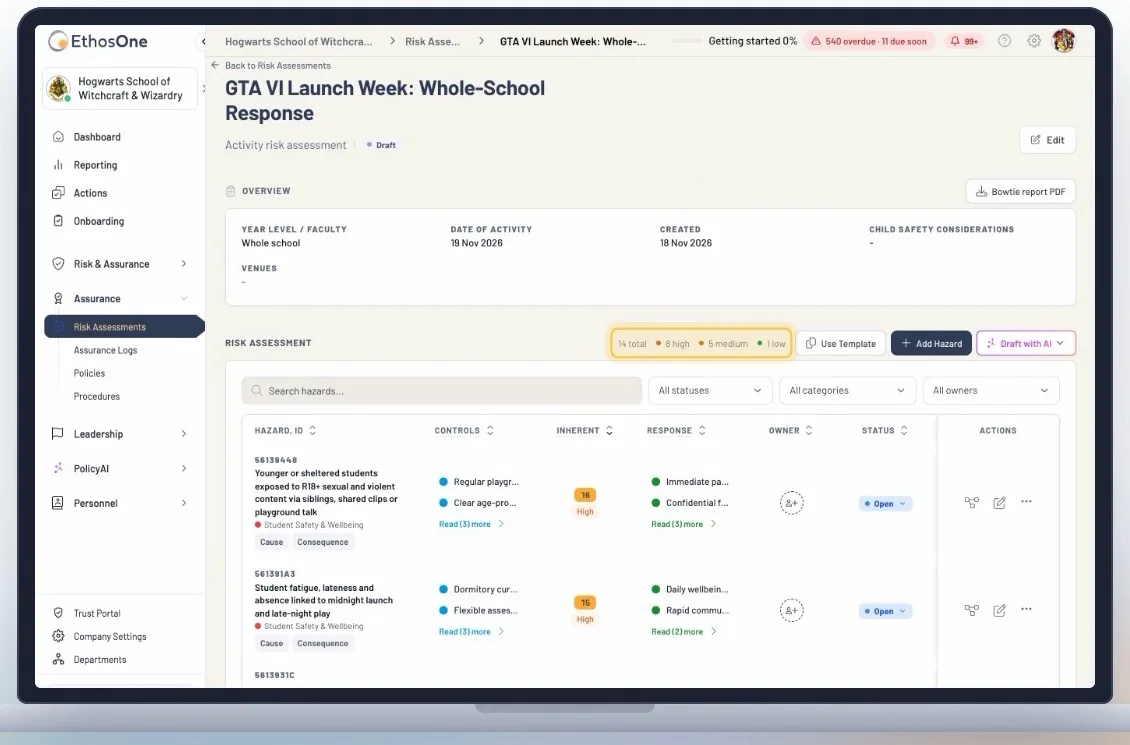
Rated
Fourteen risks, each scored before and after controls, so you know what to tackle first.
- Mission 04 of 04
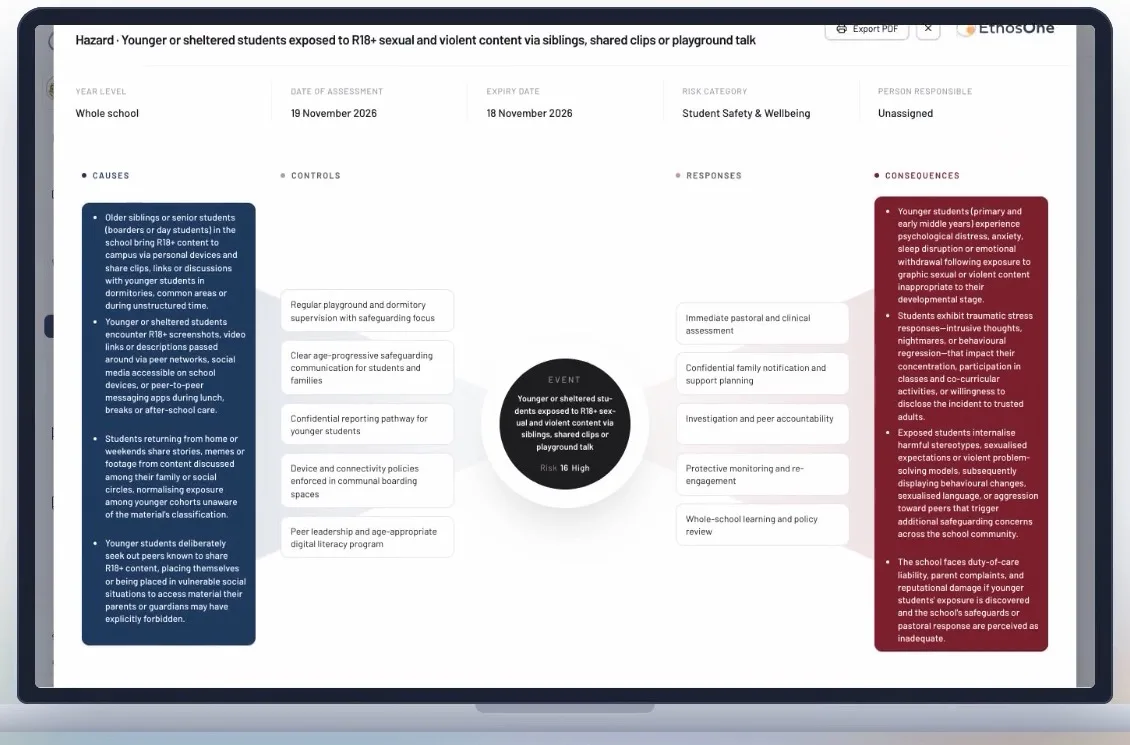
The bow tie
Open any risk to see how it plays out on one page, then export the bow tie report as a PDF.
Get the GTA VI Risk Assessment
Tell us who you are. The workbook arrives on the next page and in your inbox.
Your details stay in Australia. We email you the files, then occasional governance updates you can stop at any time.
Frequently asked questions
Still weighing something up? Thirty minutes with us, on your own registers, answers the rest.
Get the free pack01Is the GTA VI risk assessment free?
Yes. Tell us who you are and the workbook arrives on the next page and in your inbox. No trial, no card, and the file is yours whether or not you ever talk to us.
02What format is it?
GTA-VI-Launch-Fortnight-Risk-Assessment.xlsx opens in Excel, Numbers or Google Sheets. The worked example is protected so a stray keystroke cannot change it; everything else is editable.
03Why does a school need a risk assessment for a video game?
Because the risks arrive at school whether or not anyone plays it there: tired students, younger students exposed to R18+ content, clips in group chats, scams on school devices and parents asking questions. A short assessment, signed in launch week, means every staff member gives the same answer.
04Does the workbook tell us whether students can play the game?
No. That is a decision for families. The workbook covers what reaches the school: wellbeing, behaviour, devices, learning, boarding and communication with families.
05Can we use it for the next big release or a social media challenge?
Yes. Copy the Your assessment tab to a new tab and keep the control library. The same structure works for a viral trend or the next R18+ release.
06Is this affiliated with the game's publisher?
No. Grand Theft Auto and GTA are trade marks of Take-Two Interactive Software, Inc. This workbook is not affiliated with, sponsored or endorsed by Take-Two Interactive or Rockstar Games.